
What is Adobe Creative Cloud?
Adobe Creative Cloud is a collection of software applications for a variety of creative projects and includes access to over 20 Adobe programs. Whether you’re a beginner exploring digital art or an experienced creator working on professional projects, Adobe’s tools offer endless possibilities. With your library card, you can access Adobe CC for free on designated library computers and take your creative projects to the next level!

How to Access Creative Cloud
You can access Adobe Creative Cloud from a computer through the web or desktop applications, or on a smartphone with an Adobe app. Usually, access requires a subscription plan but your library card grants you access to all the Adobe Creative Cloud applications on the Digital Studio computers. The programs are available in PC and iMac versions at both Cook Park and Aspen Drive locations.
Adobe CC makes it easy to edit and retouch photos, design social media graphics, and create logos, brochures, and websites. Whatever project you create – make sure to bring a USB flash drive or use a cloud-based storage system like Google Drive, Microsoft OneDrive, or DropBox to save your files.
While our library is subscribed to the full collection of apps and programs, you can access some Adobe products for free with the free version of the Creative Cloud membership. Our favorite apps on this list include Adobe Scan, Acrobat Reader, Photoshop Express, and Lightroom Mobile.
Commonly Used Adobe Programs

Photoshop
Photoshop is an icon among Adobe programs – so popular the name itself has become a verb! It’s a powerhouse program that allows you to edit and manipulate photos or create a picture from your imagination using generative AI. Photoshop Express is a lighter, web-based version of the application that’s great for beginners and makes editing images on the go a breeze.

Lightroom
Lightroom Classic is a desktop-focused photo editing program with a comprehensive suite of features for color correction, detail enhancement, and creative effects. You can create presets, add keywords for easy search, and organize photos on your computer in ready-to-print formats. Lightroom is the newer cloud-based photo program that works across desktop, mobile, and web, with automatic file backup to the cloud and intelligent search capabilities.
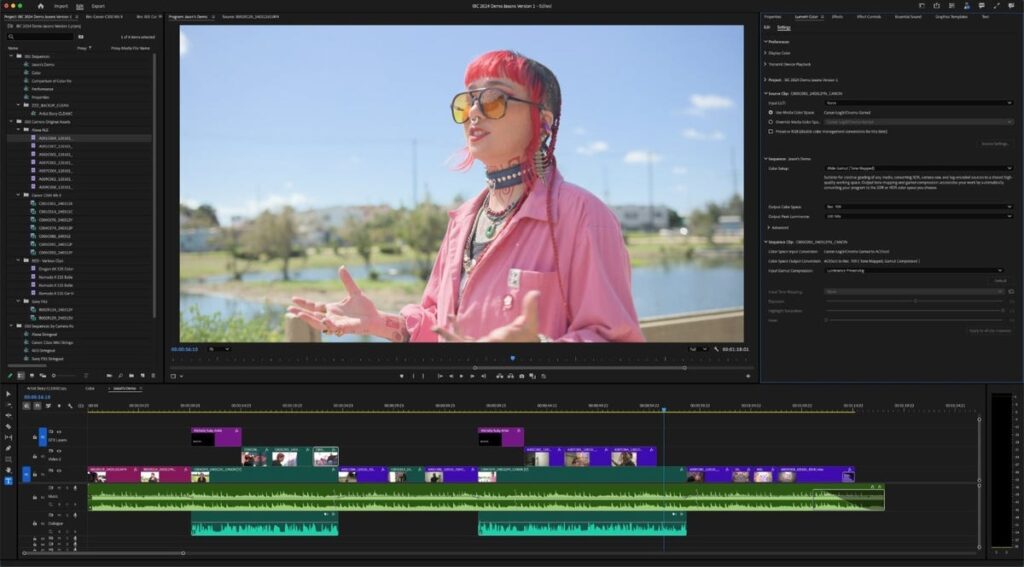
Premiere Pro
Premiere Pro is an industry standard video and film editing app. You can use it to join clips, trim footage, create transitions, and add graphics and audio to your project. For designers and animators, Premiere Pro is where you’ll build and perfect your demo reel and produce professional-quality videos for a variety of purposes, from film projects to social media content.
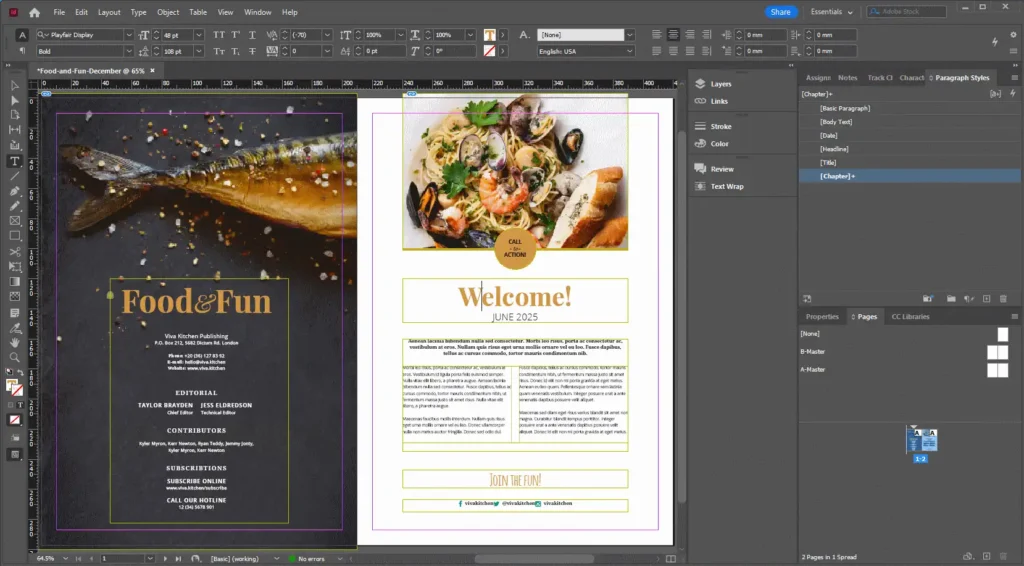 InDesign
InDesign is a page layout and design tool that’s equipped to help you create brochures, PDFs, magazines, digital presentations, interactive documents, and more! It excels at producing professional quality documents for publishing and works equally well for print and digital purposes.
Acrobat
Acrobat is the app for viewing and editing PDF files. PDFs have become standard format for file sharing and Adobe invented them! There are various versions of Acrobat for different devices. Reader lets you view PDF files. Acrobat Pro lets you create and convert files to the PDF format.
Check out this article from School of Motion for a list and descriptions of all the Creative Cloud apps.
Adobe Tutorials & Resources
You can learn how to use Adobe Creative Cloud programs with your library card by checking out instructional books from our eTech nonfiction collection – just type Adobe in the search box on our library homepage. Additionally, you can take advantage of Adobe courses and tutorials for free with the library’s partnership with Udemy. There are also a lot of ways to learn Adobe programs for free online and we’ve included a list of online resources linked below to help you get started:
-
Adobe Learn
https://www.adobe.com/learn/photoshop

Udemy
https://link.gale.com/apps/udemy_library_link

YouTube
https://www.youtube.com/@AdobeCreativeCloud
Discover more from Cook Memorial Public Library District
Subscribe to get the latest posts sent to your email.
Categories: Digital Studios, Library News